























Help article
Appointments - made easy
Description:
With the help of this module, appointments are made in no time. Customers can directly display possible free times and directly request a desired appointment. The module can inform you in advance via e-mail about appointments and ask for their confirmation.
Depending on the activation of the PushPlus function, a push notification will be sent directly to the requesting app user after confirmation or rejection of an appointment, so that they can react faster and request a new different appointment.
Handling:
In order for customers to get suitable appointments suggested, the opening hours on the one hand and the services on the other hand have to be stored.
In addition, you can expand the appointment calendar for different people. For example, a hair salon can enter the available hairdressers or an insurance agency can enter the suitable sales representatives.
Use the items below to learn more about the description of your selectable services and people or departments.
The practical approach for your business and customers is also explained in more detail below.
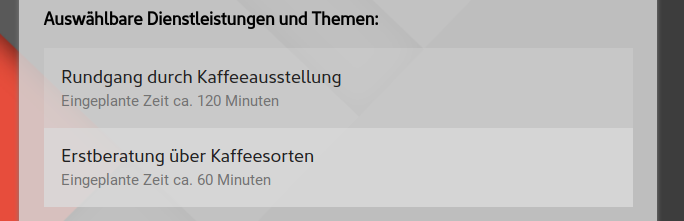
Selectable Services - Appointment requests are always made for a specific reason, or with a specific request. This can be, for example, the initial consultation or the men's haircut. Approximate labor rates exist for all of these services.
The list takes the information and offers it to the visitors of your app for selection. For this purpose, it is enough to store the name of the service and the time required in each case.
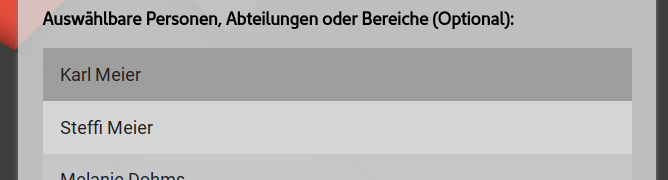
Selectable individuals, departments, or divisions - This field is optional. If the selectable services are provided by multiple people or departments, this subdivision may make sense in scheduling. Simply store the designation here.
Allow additional individual message from user (Optional) - Electively, the user can be allowed to write a multi-line individual message in addition to the name and email address before selecting an appointment. This will then be included in the email.
Display possible days in advance (Optional) - The specified number of days to be included for the possible display of all available days. Corresponding days without opening will be subtracted. Depending on the business performed and purpose, a number of lead time may be more appropriate. E.g. in the case of a medical practice.
Possible appointment suggestions per day (Optional) - Per displayed day, the number of temporal suggestions is definable.
Email for appointment requests - Necessary notifications and upcoming appointment confirmations will be sent to the email address stored here. If this field is left blank, they will be sent to the centrally stored email address.
Procedure for use:
When customers or prospects request an appointment through your app, they are guided through a simple process of providing as little information as possible.
- After selecting the service and (optionally) person or department, a display of possible available appointments is provided.
- To set the preliminary appointment booking in motion only the name and personal email address are required.
- Thereupon, the sending of an e-mail with all necessary information to you, as the operator of the app.
- Using the links provided in the e-mail, the still unconfirmed appointment booking can either be finally confirmed or rejected .
Note!The period of the appointment is already blocked and is meanwhile not offered more than once. - After click, an e-mail is sent to the appointment seeker. Therein your confirmation or rejection is communicated, as well as again the detailed information of the appointment again.
Recommendation:
For the display of possible appointments and the subsequent booking of these, the establishment and existence of the "opening hours" module is necessary.
Only with the help of the information stored there about the opening, lunch and break times, an optimal appointment search can be made.