























CommunityPlus - Das Plus an Liken und Kommentieren
Wenn ein "Gefällt mir" und ein loser Kommentar nicht mehr ausreicht, wird es Zeit für mehr. Mit CommunityPlus schaffen Sie eine eigene soziale Austauschplattform für ein Spaß-bringendes und effizientes Miteinander.
Erlauben Sie Nutzern ein "Gefällt mir" oder Kommentare
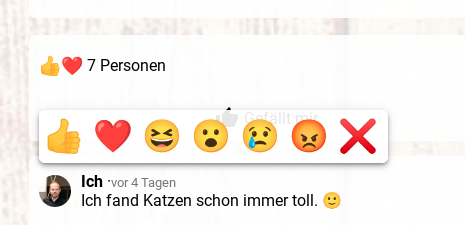
Gestatten Sie Ihren Nutzern in Ihren freigegebenen Bereichen einfach ein "Gefällt mir" oder mehrere Kommentare zu hinterlassen. Neben einem herkömmlichen Daumen hoch lässt sich die Stimmung auch in mehreren Ebenen ausdrücken. Kommentare erlauben eine einfache Kommunikation zwischen Ihnen und Ihren Nutzern.
Personalisierung pur durch eigene Nutzerprofile
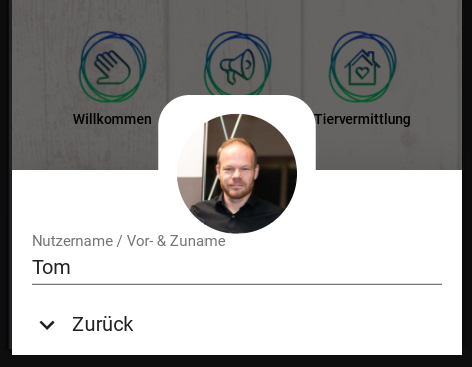
Innerhalb Ihres digitalen Auftritts können sich Nutzer einfach ohne Passwort über Ihre E-Mail anmelden und für das künftige Miteinander ein eigenes Nutzerkonto mit selbst festgelegten Namen und Profilfoto vervollständigen.
Kommentieren mit Emojis, Links, gestalteten Texten, Bild-*, und Sprachanhängen*
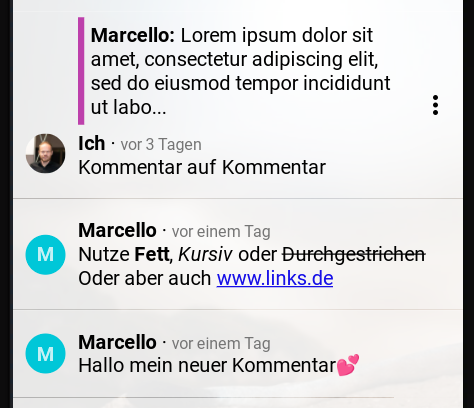
Ihre Nutzer können zur Gestaltung auf alle gängigen Formatierungen zurückgreifen. Eingefügte Links werden möglichst automatisch als anklickbar erkannt. Künftig wird es neben geschriebenem Text auch möglich sein, Sprachnachrichten und Bilder anzuhängen.
* Das Anhängen von Bildern und Sprachnachrichten ist im Rahmen von CommunityPlus bald kostenfrei verfügbar.
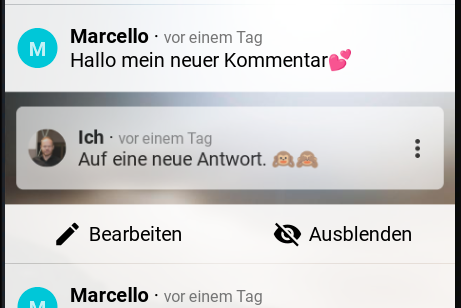
Kommentare einfach nachbearbeiten, ausblenden oder darauf antworten
Lassen Sie Ihren Nutzern abgegebene Kommentare im späteren Verlauf überarbeiten oder aber ausblenden. Als Verwalter des Auftritts lassen sich unpassende Kommentare auch explizit ausblenden. Auf hinterlegte Kommentare kann auch direkt geantwortet werden, um so eine bessere Übersicht zu bewahren.
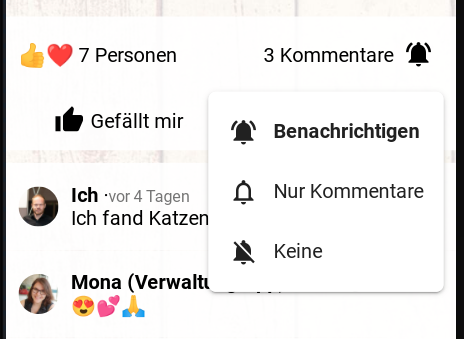
Informiert bleiben, Push- oder E-Mail-Benachrichtigungen
Erhalten Sie und Ihre Nutzer bei eigenen neuen Kommentaren oder Antworten direkt Push-Benachrichtigungen oder aber auch E-Mails auf die Geräte. Egal ob Smartphone, Tablet oder aber auch PC oder Mac. Alternativ können Nutzer den Erhalt von Benachrichtigungen auch nur bei Antworten auf eigene Kommentare einschränken.
So aktivieren Sie CommunityPlus auch
für Ihren digitalen Auftritt
Erforderlich ist mindestens ein neues Premium-Paket. Unter den unterschiedlichen Bausteinen lässt sich jeweils die Option "Gefällt mir und Kommentare" in der App-Verwaltung aktivieren. Unter dem kleinen Light-Paket gibt es bereits eine eingeschränkte Variante.