For advanced users – export, import and duplicate modules and menu items
Power users who want to reuse content in the form of modules and menu items within their app, or simply carry it over to other apps, now get some help.
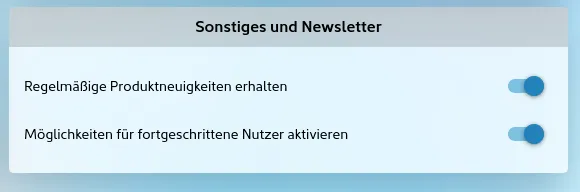
Once the switch for advanced users has been turned on in your contact details under “Miscellaneous and newsletter”, you can use further functions in the management area. Please note: this may well require a higher app package.
From then on, you will find these functions in the overview of the menu items and in the settings of the modules:
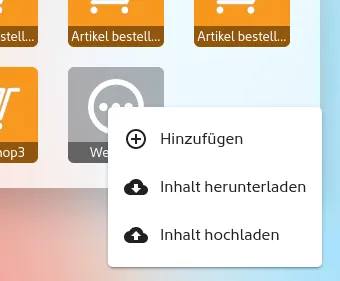
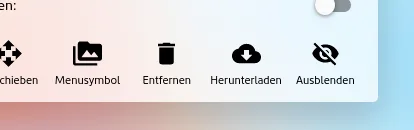
This makes it easy to download the content of modules and menu items to your PC, Mac or tablet and to upload, or import, it again elsewhere in the same app or in other apps. Duplicating content becomes one simple step.
What is transferred or exported?
As a rule, the entire content of the modules / menu items is exported and downloaded. This includes linked images from the media library. When you upload the module into another app, the images are properly transferred to that app’s media library as well.
Which data is not downloaded?
Modules also contain what is known as transaction data, such as the confirmed appointments in the appointments module, the points awarded on loyalty cards or individual records in the module for digital data processing. There may also be “likes” and comments from users attached. This kind of data is deliberately not exported.
So this function is not suitable for simply copying menu items, storing them and importing them again later!
Are submenus and the modules inside them downloaded too?
Yes, with submenus, all the modules inside them are downloaded as well, including all linked images from the media library. With a mobile shop, for example, the whole catalogue is exported, including product descriptions, product images and linked images.
Why are some exported files so large?
Depending on the size of the modules, including their images and further sub-sections, large amounts of data can build up. Before the download, however, the file is compressed, which makes it smaller overall.
Can I edit the downloaded modules on my computer?
At present, the exported files are strongly encrypted for data protection reasons. This keeps things running smoothly and protects the stored data from being tampered with between export and re-import. This may change in the future.
Your app in minutes. Give it a try.
20 days free, no credit card.